
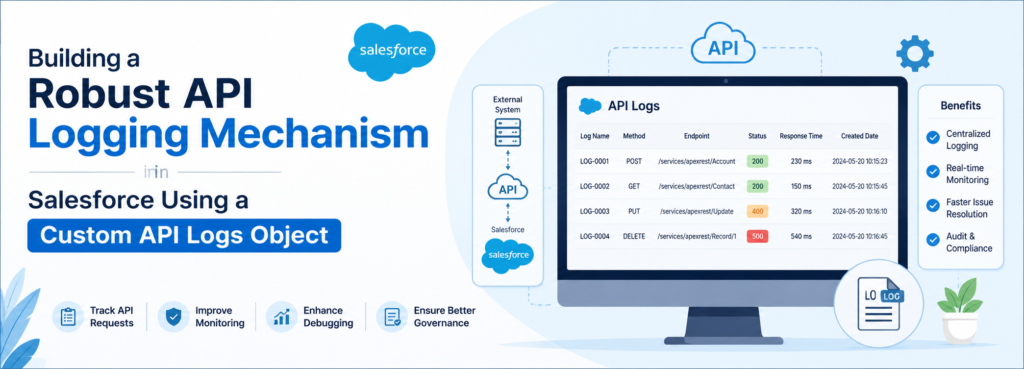
A Complete Implementation Guide for Salesforce Architects & Developers
By : Abhinav Rajat
Introduction
Every Salesforce org that talks to the outside world eventually runs into the same wall: an integration fails silently, a partner system reports a missing record, and nobody can explain what actually happened on the Salesforce side. The instinctive reaction is to open Debug Logs. That works fine in a sandbox, for about five minutes, until the log rotates out or a support engineer asks what happened last Tuesday at 3 AM, and the answer is nowhere to be found.
This article walks through a pattern that has saved more production incidents than almost any other piece of integration tooling: a custom API Logs object backed by a reusable Apex logging framework. It is the kind of object that ends up being the first place every architect, support engineer, and developer goes when an integration misbehaves.
Why API Logging Matters
Integrations are the part of a Salesforce implementation least visible to admins and most visible to customers. A failed order sync, a missing invoice, a delayed shipment notification — these are the incidents that escalate to leadership. Without a persistent audit trail, troubleshooting becomes archaeology: digging through emails, guessing at timestamps, and hoping the external system’s logs line up with Salesforce’s.
A dedicated logging object turns that guesswork into a query. Support can filter by status, architects can build dashboards on response times, and developers get a stack trace without needing System Administrator access to Debug Logs.
The Problem With Relying Only on Debug Logs
Debug Logs were designed for development debugging, not production observability. They expire automatically, are capped in size, and require trace flags configured per user, meaning logging is often off exactly when an unexpected failure happens. They are unstructured text, nearly impossible to report on or filter, and not queryable through SOQL or standard reports and dashboards.
A custom object solves every one of these problems at once: it is permanent, structured, queryable, reportable, and accessible to whoever holds the right object permissions.
Designing the API Logs Object
The fields you already have — Status Code, Status, Request Body, and Response Body — form a solid foundation, but a production-grade logging object needs considerably more context to be useful during an actual incident. The table below lays out the recommended field design.
| Field Label | API Name | Data Type | Purpose |
|—|—|—|—|
| Endpoint | Endpoint__c | Text(255) | Logical name/path of the API, used for grouping logs by integration point. |
| HTTP Method | HTTP_Method__c | Picklist | GET, POST, PUT, PATCH, DELETE — shows intent at a glance. |
| Request URL | Request_URL__c | Text(255) | Full resolved URL actually invoked via Named Credential. |
| Request Headers | Request_Headers__c | Long Text | Custom headers (excluding secrets) for content-negotiation debugging. |
| Response Headers | Response_Headers__c | Long Text | Diagnoses caching, rate-limiting, correlation headers from external system. |
| Execution Time (ms) | Execution_Time_MS__c | Number | Callout duration; the key performance monitoring field. |
| Request Timestamp | Request_Timestamp__c | DateTime | When the callout was initiated. |
| Response Timestamp | Response_Timestamp__c | DateTime | When the response was received; used for latency calc. |
| Logged By | Logged_By__c | Lookup(User) | Identifies the user/integration context that triggered the call. |
| Integration Name | Integration_Name__c | Picklist/Text | Groups logs by system (SAP, NetSuite, Stripe, Twilio). |
| Environment | Environment__c | Picklist | Production, Sandbox, UAT — avoids sandbox noise in dashboards. |
| Correlation ID | Correlation_Id__c | Text(36) | GUID tying one business transaction across multiple callouts. |
| Retry Count | Retry_Count__c | Number | How many times this request has been retried. |
| Retry Attempt | Retry_Attempt__c | Number | Sequence number of this attempt. |
| Related Record Id | Related_Record_Id__c | Text(18) | The Salesforce record (Order, Case) tied to the callout. |
| Object Name | Object_Name__c | Text(50) | SObject API name for Related Record Id (polymorphic reporting). |
| Exception Type | Exception_Type__c | Text(255) | Apex exception class name on hard failure. |
| Stack Trace | Stack_Trace__c | Long Text | Full Apex stack trace, captured on Error status. |
| API Version | API_Version__c | Text(10) | External API contract version — vital during vendor migrations. |
| Request Size (KB) | Request_Size_KB__c | Number | Flags abnormally large outbound payloads. |
| Response Size (KB) | Response_Size_KB__c | Number | Flags abnormally large inbound payloads. |
| Content Type | Content_Type__c | Text(50) | application/json, application/xml, etc. |
| Authentication Type | Authentication_Type__c | Picklist | OAuth 2.0, Named Credential, API Key, Basic Auth. |
| Transaction Id | Transaction_Id__c | Text(36) | Apex request ID for cross-reference with Event Monitoring. |
| Is Async | Is_Async__c | Checkbox | Whether the callout ran in Future/Queueable/Batch context. |
| Queueable Job Id | Queueable_Job_Id__c | Text(18) | Links log to the AsyncApexJob record. |
| Batch Job Id | Batch_Job_Id__c | Text(18) | Same purpose for Batch Apex-driven integrations. |
| Named Credential | Named_Credential__c | Text(100) | Which Named Credential was used. |
| External Credential | External_Credential__c | Text(100) | Tracks External Credential / Permission Set mapping. |
| Error Category | Error_Category__c | Picklist | Authentication, Timeout, Validation, Server Error, Network. |
| Retry Eligible | Retry_Eligible__c | Checkbox | Marks whether a failure is safe to auto-retry. |
| Archive Flag | Archive_Flag__c | Checkbox | Flags records eligible for Big Object migration. |
| Notes | Notes__c | Long Text | Free-text field for investigation annotations. |
| Success Flag | Success_Flag__c | Checkbox | Boolean mirror of Status for simplified report filters. |
A few of these fields deserve a closer look, since they are the ones that actually save time during an incident.
Correlation ID
This is the field most teams regret not having from day one. When a single business process triggers several downstream callouts — say, an Order creation that calls a tax engine, a payment gateway, and a fulfillment system — a Correlation ID lets you pull every related log with one query instead of reconstructing the sequence from timestamps.
Execution Time
This turns the object from a debugging tool into a performance monitoring tool. With a few months of data, you can chart average response time per integration and catch a degrading third-party API weeks before it becomes a customer-facing outage.
Is Async, Queueable Job Id, and Batch Job Id
A large share of real integrations run outside the synchronous request context. Knowing a failed callout happened inside Batch Apex chunk 14 of 40 is the difference between a five-minute fix and a half-day investigation.
Retry Eligible
This field encodes business logic directly into the log. Not every failed callout should be retried — a duplicate payment is far worse than a missed one — so this flag lets a scheduled retry job act safely without re-reading code each time.
Architecture
The framework follows a predictable, linear flow that keeps logging logic decoupled from business logic: User / Trigger / Scheduled Job, then Apex Service Class, then API Logger Utility, then API Logs Object (create), then a parallel call to the External API via Named Credential, the HTTP Response returning, the API Logger Utility updating the log, and finally the response returning to the caller.
The service class never talks to the API Logs object directly. Every interaction goes through the API Logger Utility, which keeps logging concerns out of business logic and makes it trivial to change the logging implementation later — for example, swapping a synchronous DML insert for a Platform Event-driven asynchronous write — without touching a single integration class.
Apex Implementation
The logger utility is intentionally framework-agnostic — it does not know or care which integration is calling it.
API Logger Utility
“`apex
public with sharing class APILoggerUtility {
// Creates the initial log record before the callout is made
public static Id createLog(String endpoint, String method, String requestBody,
String integrationName, String correlationId) {
API_Logs__c log = new API_Logs__c();
log.Endpoint__c = endpoint;
log.HTTP_Method__c = method;
log.Request_Body__c = maskSensitiveData(requestBody);
log.Integration_Name__c = integrationName;
log.Correlation_Id__c = String.isBlank(correlationId)
? generateCorrelationId() : correlationId;
log.Request_Timestamp__c = System.now();
log.Status__c = ‘Pending’;
insert log;
return log.Id;
}
// Updates the log after a successful callout
public static void updateSuccess(Id logId, HttpResponse res, Long startTime) {
API_Logs__c log = new API_Logs__c(Id = logId);
log.Status__c = ‘Success’;
log.Success_Flag__c = true;
log.Status_Code__c = String.valueOf(res.getStatusCode());
log.Response_Body__c = maskSensitiveData(res.getBody());
log.Response_Timestamp__c = System.now();
log.Execution_Time_MS__c = calculateResponseTime(startTime);
update log;
}
// Updates the log after a failed callout (HTTP-level failure)
public static void updateFailure(Id logId, HttpResponse res, Long startTime) {
API_Logs__c log = new API_Logs__c(Id = logId);
log.Status__c = ‘Failure’;
log.Success_Flag__c = false;
log.Status_Code__c = String.valueOf(res.getStatusCode());
log.Response_Body__c = maskSensitiveData(res.getBody());
log.Response_Timestamp__c = System.now();
log.Execution_Time_MS__c = calculateResponseTime(startTime);
log.Error_Category__c = categorizeError(res.getStatusCode());
update log;
}
// Captures hard Apex exceptions (timeouts, malformed requests, limits)
public static void logException(Id logId, Exception e, Long startTime) {
API_Logs__c log = new API_Logs__c(Id = logId);
log.Status__c = ‘Error’;
log.Success_Flag__c = false;
log.Exception_Type__c = e.getTypeName();
log.Stack_Trace__c = e.getStackTraceString();
log.Response_Timestamp__c = System.now();
log.Execution_Time_MS__c = calculateResponseTime(startTime);
update log;
}
private static Long calculateResponseTime(Long startTime) {
return System.currentTimeMillis() – startTime;
}
// Strips known sensitive keys before persisting payloads
private static String maskSensitiveData(String payload) {
if (String.isBlank(payload)) return payload;
String masked = payload;
masked = masked.replaceAll(‘”password”\\s*:\\s*”.*?”‘,
‘”password”:”***MASKED***”‘);
masked = masked.replaceAll(‘”access_token”\\s*:\\s*”.*?”‘,
‘”access_token”:”***MASKED***”‘);
return masked;
}
// Generates a GUID to correlate related callouts
public static String generateCorrelationId() {
Blob b = Crypto.generateAesKey(128);
return EncodingUtil.convertToHex(b);
}
private static String categorizeError(Integer statusCode) {
if (statusCode == 401 || statusCode == 403) return ‘Authentication’;
if (statusCode == 408) return ‘Timeout’;
if (statusCode >= 500) return ‘Server Error’;
if (statusCode >= 400) return ‘Validation’;
return ‘Unknown’;
}
}
Example Service Class with Named Credential Callout
“`apex
public with sharing class OrderSyncService {
public static HttpResponse syncOrder(Id orderId, String payload) {
Long startTime = System.currentTimeMillis();
Id logId;
HttpResponse res;
try {
// Create the log before the callout so a timeout still leaves a trace
logId = APILoggerUtility.createLog(
‘callout:ERP_Named_Credential/orders’, ‘POST’, payload, ‘SAP_ERP’, null);
HttpRequest req = new HttpRequest();
req.setEndpoint(‘callout:ERP_Named_Credential/orders’);
req.setMethod(‘POST’);
req.setHeader(‘Content-Type’, ‘application/json’);
req.setBody(payload);
req.setTimeout(20000);
Http http = new Http();
res = http.send(req);
if (res.getStatusCode() >= 200 && res.getStatusCode() < 300) {
APILoggerUtility.updateSuccess(logId, res, startTime);
} else {
APILoggerUtility.updateFailure(logId, res, startTime);
}
} catch (Exception e) {
// Catches CalloutException (timeouts), JSONException, and others
APILoggerUtility.logException(logId, e, startTime);
throw e;
} finally {
// Runs regardless of outcome – operational visibility / cleanup
System.debug(‘Order sync completed for orderId: ‘ + orderId);
}
return res;
}
}
“`
The try block isolates the callout so any failure — network, timeout, or malformed response — is caught in one place. The catch block is what makes this framework resilient: without it, an unhandled CalloutException would leave no trace at all, since the exception would bubble up before any update DML executed. The finally block exists for operational visibility and cleanup that must run regardless of outcome.
Unit Test Class
A logging framework is only trustworthy if its test coverage proves every branch actually writes the fields it claims to.
“`apex
@isTest
private class OrderSyncServiceTest {
private class SuccessMock implements HttpCalloutMock {
public HttpResponse respond(HttpRequest req) {
HttpResponse res = new HttpResponse();
res.setStatusCode(200);
res.setBody(‘{“status”:”ok”}’);
return res;
}
}
private class ErrorMock implements HttpCalloutMock {
Integer code;
ErrorMock(Integer code) { this.code = code; }
public HttpResponse respond(HttpRequest req) {
HttpResponse res = new HttpResponse();
res.setStatusCode(code);
res.setBody(‘{“error”:”failure”}’);
return res;
}
}
private class TimeoutMock implements HttpCalloutMock {
public HttpResponse respond(HttpRequest req) {
throw new CalloutException(‘Read timed out’);
}
}
@isTest
static void testSuccessLogsCorrectly() {
Test.setMock(HttpCalloutMock.class, new SuccessMock());
Test.startTest();
OrderSyncService.syncOrder(‘001000000000001’, ‘{“orderId”:”1″}’);
Test.stopTest();
API_Logs__c log = [SELECT Status__c, Status_Code__c, Success_Flag__c
FROM API_Logs__c LIMIT 1];
System.assertEquals(‘Success’, log.Status__c);
System.assertEquals(‘200’, log.Status_Code__c);
System.assertEquals(true, log.Success_Flag__c);
}
@isTest
static void test400ErrorLogsValidationCategory() {
Test.setMock(HttpCalloutMock.class, new ErrorMock(400));
Test.startTest();
OrderSyncService.syncOrder(‘001000000000002’, ‘{}’);
Test.stopTest();
API_Logs__c log = [SELECT Error_Category__c FROM API_Logs__c LIMIT 1];
System.assertEquals(‘Validation’, log.Error_Category__c);
}
@isTest
static void test500ErrorLogsServerErrorCategory() {
Test.setMock(HttpCalloutMock.class, new ErrorMock(500));
Test.startTest();
OrderSyncService.syncOrder(‘001000000000003’, ‘{}’);
Test.stopTest();
API_Logs__c log = [SELECT Error_Category__c FROM API_Logs__c LIMIT 1];
System.assertEquals(‘Server Error’, log.Error_Category__c);
}
@isTest
static void testTimeoutLogsException() {
Test.setMock(HttpCalloutMock.class, new TimeoutMock());
Test.startTest();
try {
OrderSyncService.syncOrder(‘001000000000004’, ‘{}’);
System.assert(false, ‘Expected CalloutException’);
} catch (CalloutException e) { }
Test.stopTest();
API_Logs__c log = [SELECT Status__c, Exception_Type__c FROM API_Logs__c LIMIT 1];
System.assertEquals(‘Error’, log.Status__c);
System.assertEquals(‘System.CalloutException’, log.Exception_Type__c);
}
}
“`
Useful SOQL Queries
These are the queries that get pasted into Developer Console more than any other during a live incident.
“`sql
— Today’s Failed APIs
SELECT Id, Endpoint__c, Status_Code__c, Integration_Name__c, Request_Timestamp__c
FROM API_Logs__c
WHERE Status__c IN (‘Failure’,’Error’) AND Request_Timestamp__c = TODAY
— Top Slow APIs
SELECT Endpoint__c, AVG(Execution_Time_MS__c) avgTime
FROM API_Logs__c
GROUP BY Endpoint__c
ORDER BY AVG(Execution_Time_MS__c) DESC
LIMIT 10
— Success Rate by Integration
SELECT Integration_Name__c, Status__c, COUNT(Id)
FROM API_Logs__c
GROUP BY Integration_Name__c, Status__c
— Logs by Correlation Id (trace a single business transaction)
SELECT Endpoint__c, Status__c, Request_Timestamp__c
FROM API_Logs__c
WHERE Correlation_Id__c = :correlationId
ORDER BY Request_Timestamp__c ASC
“`
Reports and Dashboard
A useful starting dashboard combines four visualizations. A gauge shows the current success percentage against a target SLA. A donut chart breaks down failures by Error Category. A bar chart ranks integrations by average execution time. A line chart tracks call volume and failure count over time, revealing slow degradation that a single day’s data would never show.
Supporting reports worth building include Failed APIs Today, Slowest Integrations This Week, Top Error Messages, Average Response Time by Endpoint, Most Frequently Called APIs, Integration Success Percentage, Errors by Environment, and a Monthly Trend report comparing volume and failure rate month over month.
Best Practices
Bulkify the logger so a batch of callouts inside a loop does not generate separate DML statements per record; use a `List<API_Logs__c>` with `Database.insert(logs, false)` where partial success is acceptable. Always wrap callouts in Named Credentials rather than hardcoded endpoints, which also keeps secrets out of the Request Body entirely. Use Custom Metadata Types to control which integrations are logged and at what verbosity, so a noisy low-value integration can be dialed down without a deployment. For high-volume orgs, route log creation through Platform Events and an async Queueable subscriber, keeping the synchronous transaction fast and avoiding the 150 DML-statement limit inside complex multi-callout flows. Favor Future methods or Queueable Apex for logging DML when the calling context is already asynchronous, since a callout cannot be made directly from a trigger context.
Common Mistakes to Avoid
The most damaging mistake is logging plaintext passwords or OAuth access tokens directly into Request Body or Response Body — always run payloads through a masking function before persisting them. A close second is relying exclusively on Debug Logs in production. Teams also frequently create duplicate logs by calling the logger from both a trigger and a flow for the same transaction, inflating storage and confusing reporting. Ignoring Execution Time is a missed opportunity, since it is often the earliest warning sign of a degrading partner API. Skipping Named Credentials in favor of hardcoded endpoint URLs makes credential rotation a deployment event instead of a configuration change. Storing entire multi-megabyte payloads without truncation can quietly consume significant storage over a year of high-volume traffic. And missing try/catch blocks around callouts mean a single timeout can leave zero trace of what was attempted.
Production Considerations
Plan for data retention from day one — API Logs can grow into millions of records within a year for a busy integration layer. A scheduled Apex job that archives records older than a defined window into a Big Object preserves long-term auditability without bloating standard storage or slowing list views. Index `Correlation_Id__c`, `Status__c`, and `Request_Timestamp__c`, since these are the fields most queries filter on, and keep dashboard SOQL selective by always including a date filter. For real-time alerting, a Platform Event fired on Status = Error can trigger a Flow that posts to Slack or sends an email to the integration support channel, closing the loop between failure and notification.
Future Enhancements
Once the core framework is stable, several enhancements consistently provide strong return on investment: a Lightning Web Component log viewer with a built-in Replay Failed API button, AI-based error classification that groups similar stack traces automatically, and outbound integration with observability platforms like Datadog, New Relic, Splunk, Azure Monitor, or AWS CloudWatch via OpenTelemetry-compatible exporters, giving architects a single pane of glass across both Salesforce and the broader enterprise stack.
Conclusion
Debug Logs were never meant to carry the weight of production integration monitoring, and treating them as a logging strategy is one of the most common gaps in enterprise Salesforce implementations. A well-designed API Logs object, paired with a reusable Apex logging framework, turns every integration failure from a fire drill into a five-minute SOQL query. It costs a few hours to build and pays for itself the first time a critical integration breaks at 2 AM and the on-call developer can diagnose it from their phone. Any Salesforce implementation with meaningful external integrations should treat this pattern not as a nice-to-have, but as foundational infrastructure.